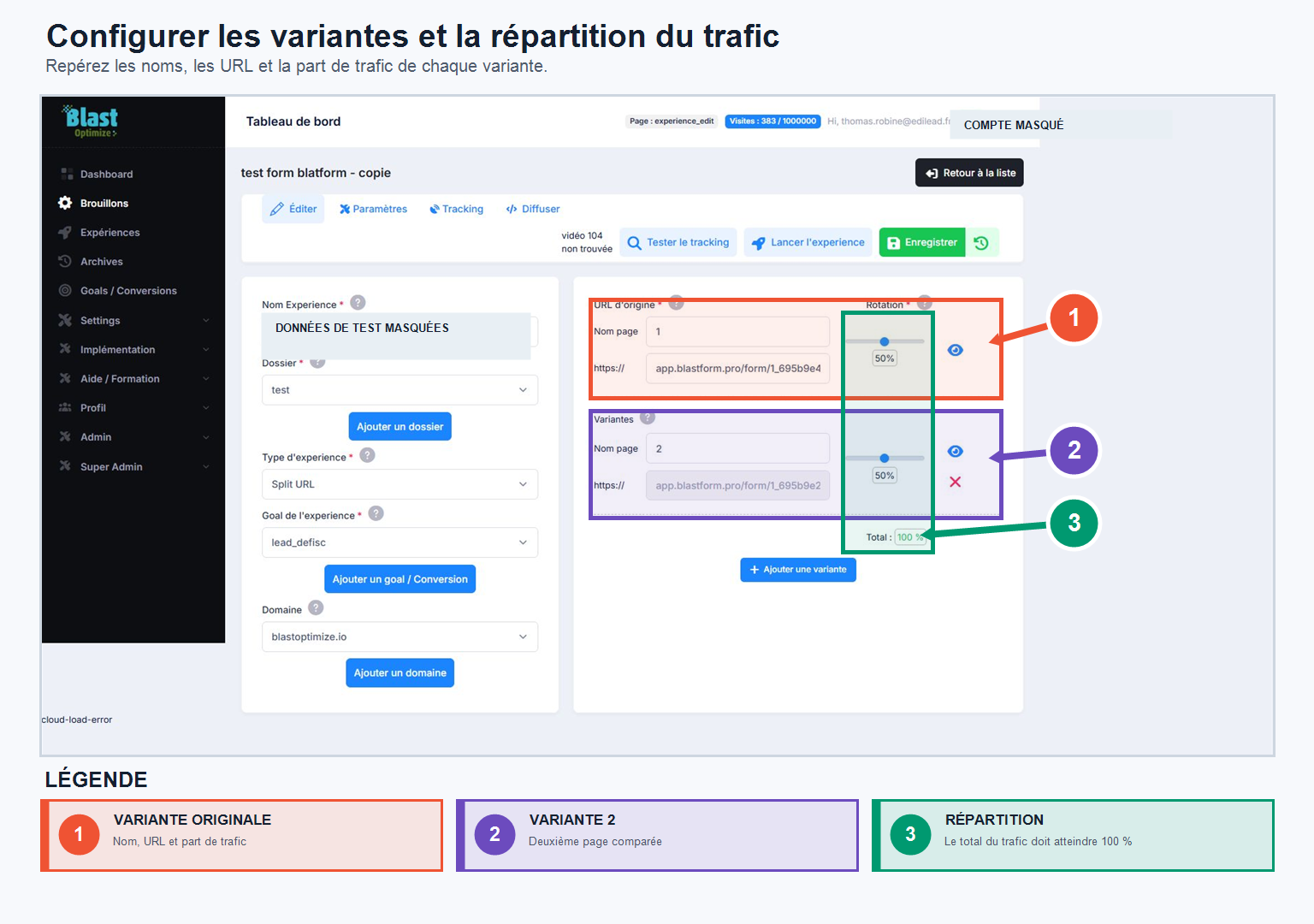


Add your variations, check the tracking, and launch your experiment.
Add variations
Once your experiment is created, add as many variations as needed by entering the URL to test for each. Then define the traffic distribution between the variations (for example, 20% / 80%). You can preview each variation from the interface and add or remove one at any time.
Check the tracking code
Before launching an experiment, BlastOptimize checks that the tracking code is correctly installed on your site. From the interface, you can monitor its status: if the tracking isn't detected, BlastOptimize will notify you; once the code is correctly installed, the tool confirms that your domain is ready. This step is essential for BlastOptimize to properly distribute visitors and measure results.
Save and launch
Remember to save your variant: it will be immediately available in your experience. You can return to your draft at any time to add variants or adjust your configuration.
Once your tracking is verified and your variants are ready, click on Launch the experiment : the test automatically exits the status Draft to move to the status Active experienceand BlastOptimize starts streaming your experience and collecting data.
You also have a button Save (to be used after each modification) and a button Change historywhich allows you to retrieve previous versions of your experience and restore them with one click if needed.
Name your variants correctly
Avoid spaces in variant names, as these names may be reused in URLs, tracking parameters, and reports.
Prefer a short, descriptive and stable convention, with dashes between words.
- To avoid:
LP Senior Test Offer 1 - Recommended :
LP-Senior-Test-Offer-1
Before launching, also check that each variant loads correctly, that global tracking is present, and that traffic ratios match your testing strategy.