

Duplicate and archive an experiment
Duplicate
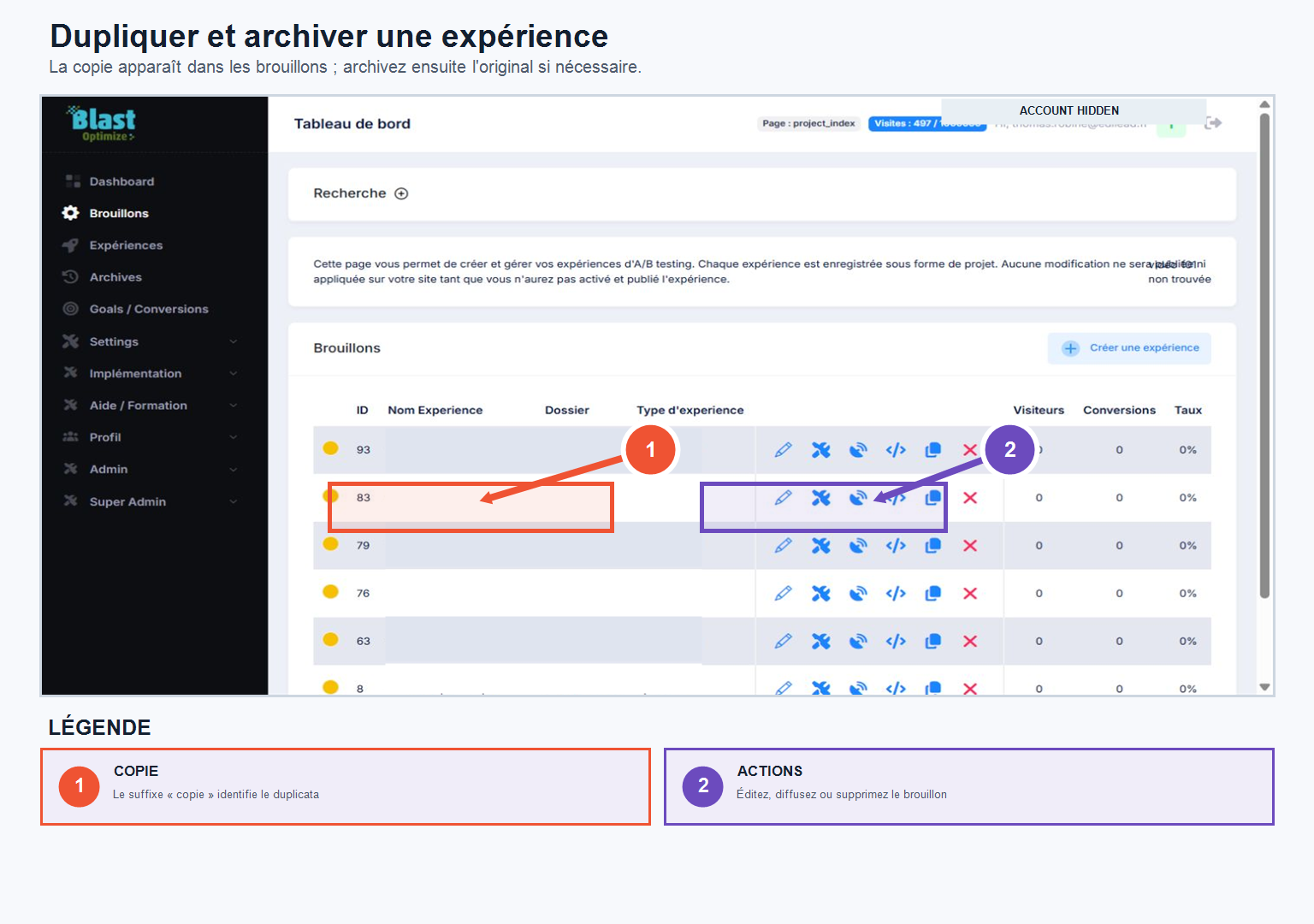
Useful for restarting from an existing test without rebuilding the entire configuration. By clicking on DuplicateBlastOptimize creates a copy of the experiment, which automatically returns to your Drafts: you can then modify the necessary URLs, variants or parameters, and then launch a new test.
Archive
Once a test is completed and analyzed, you can archive it using the button. Archive : it leaves the list of active tests and joins the section ArchiveNothing is deleted — you retain access to the configuration, variants, URLs and settings, tracking, distribution, and the entire Analytics section. An archived experiment can also serve as the basis for a new test via the Duplicate function.
Recommended workflow after an initial test
- Create and configure your first experience.
- Check the variations, tracking, and conversions.
- Once the structure is validated, duplicate the experiment to prepare for subsequent tests.
- Use Split URL to compare multiple complete landing pages, or Page Edit to quickly test changes to content and offer.
Duplication allows you to maintain a reliable configuration while accelerating the creation of subsequent experiments. Immediately rename the copy and control URLs, goals, and traffic distribution before launching it.