

How can we help you?
The Experiences Dashboard
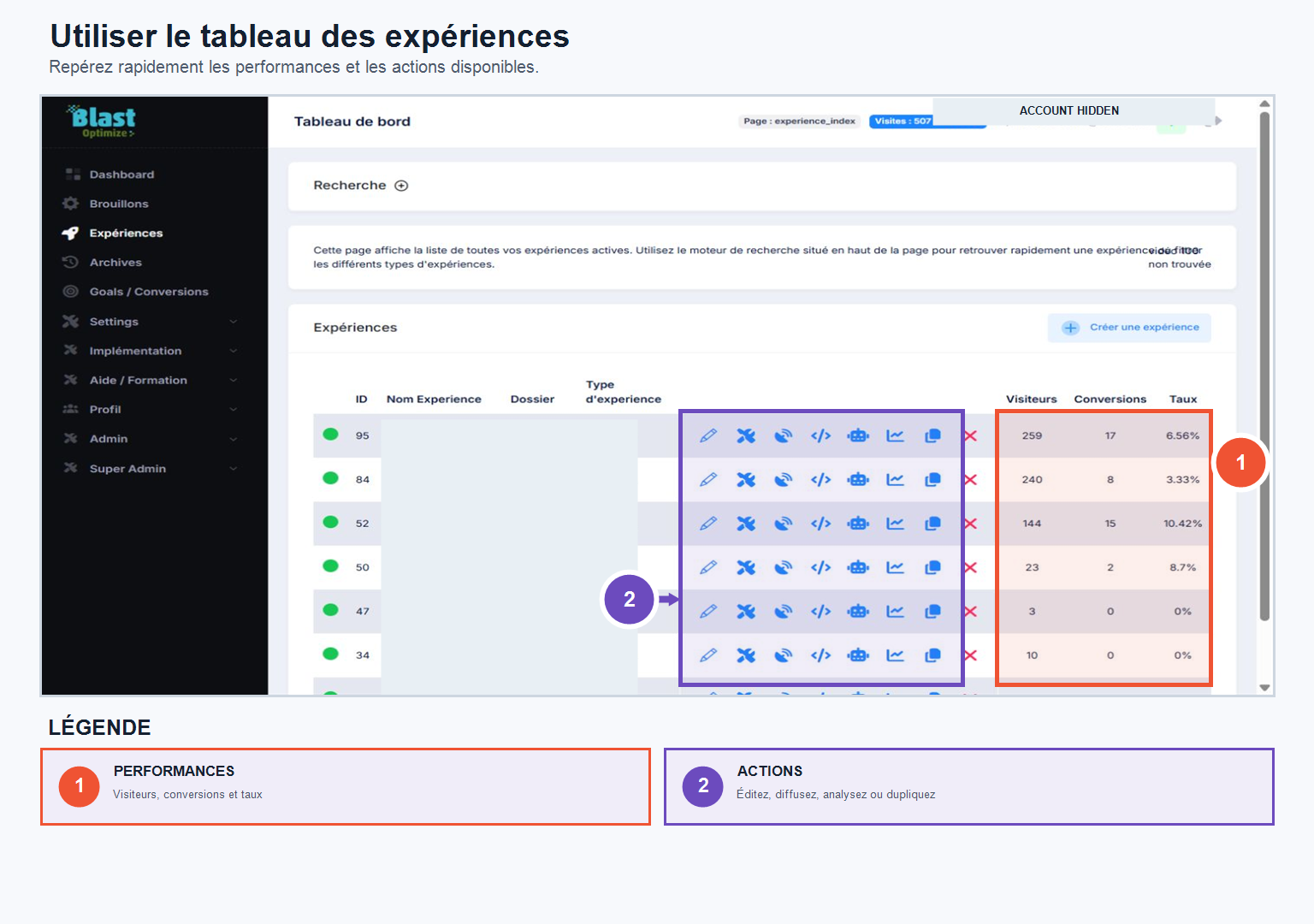
The page Experiences This brings together all your active tests. For each experiment, you will find: the ID, the name, the associated folder, the type (Split URL or Editor Page), as well as access to the Edit, Settings, Tracking and Distribution tabs.
On the right, the main indicators are displayed directly: number of visitors, number of conversions and conversion rate — a quick view of the performance of each experience without having to open the test details.
A search engine allows you to find an experience by name, by type, or via advanced search options.
From this page, you also have access to the shares Autopilot, Analysis, Duplicate And DELETE.