

Configure a dedicated domain or subdomain
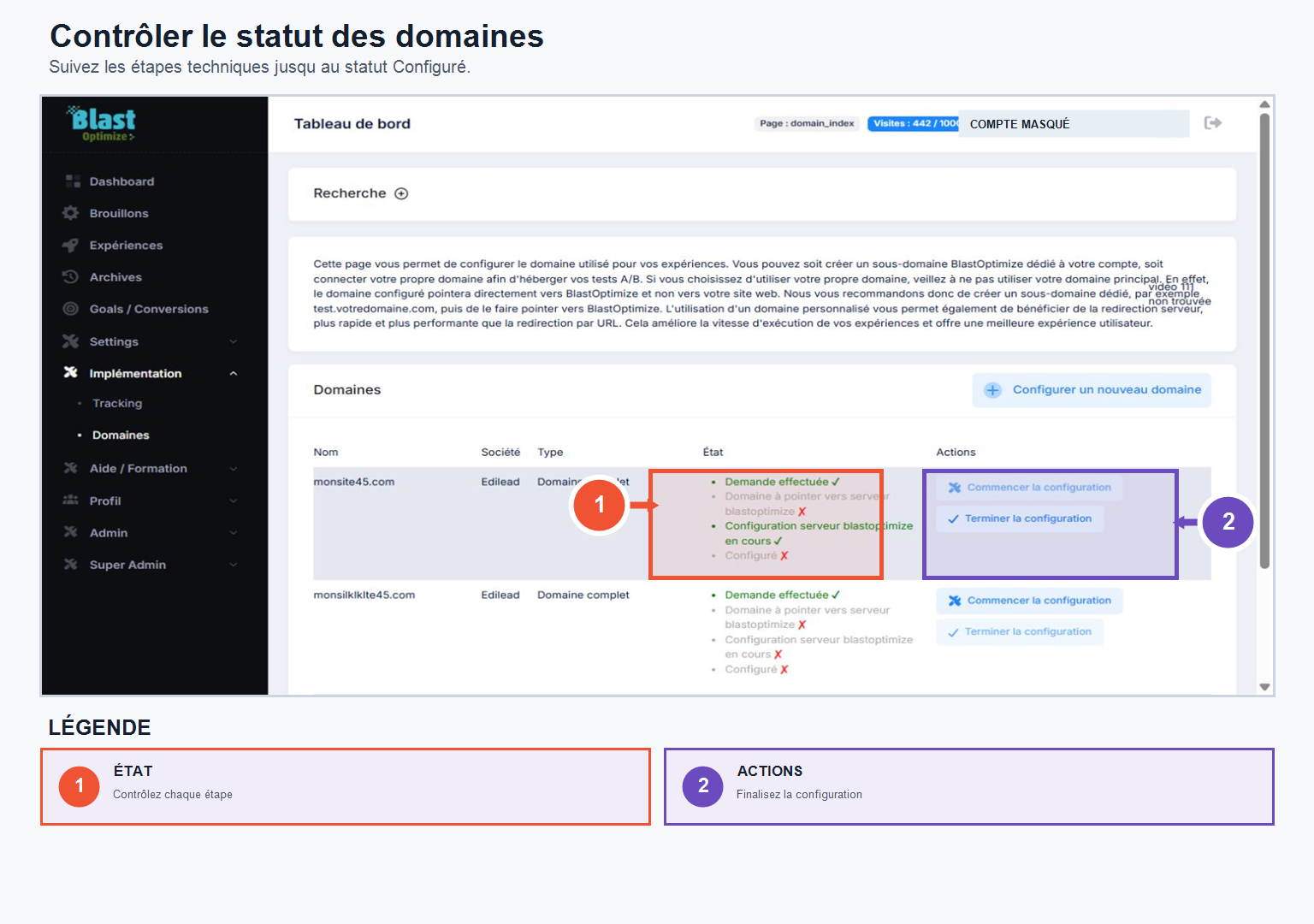
In Implementation → DomainYou can configure the domain used to broadcast your experiences, with two options:
Use your own domain or subdomain
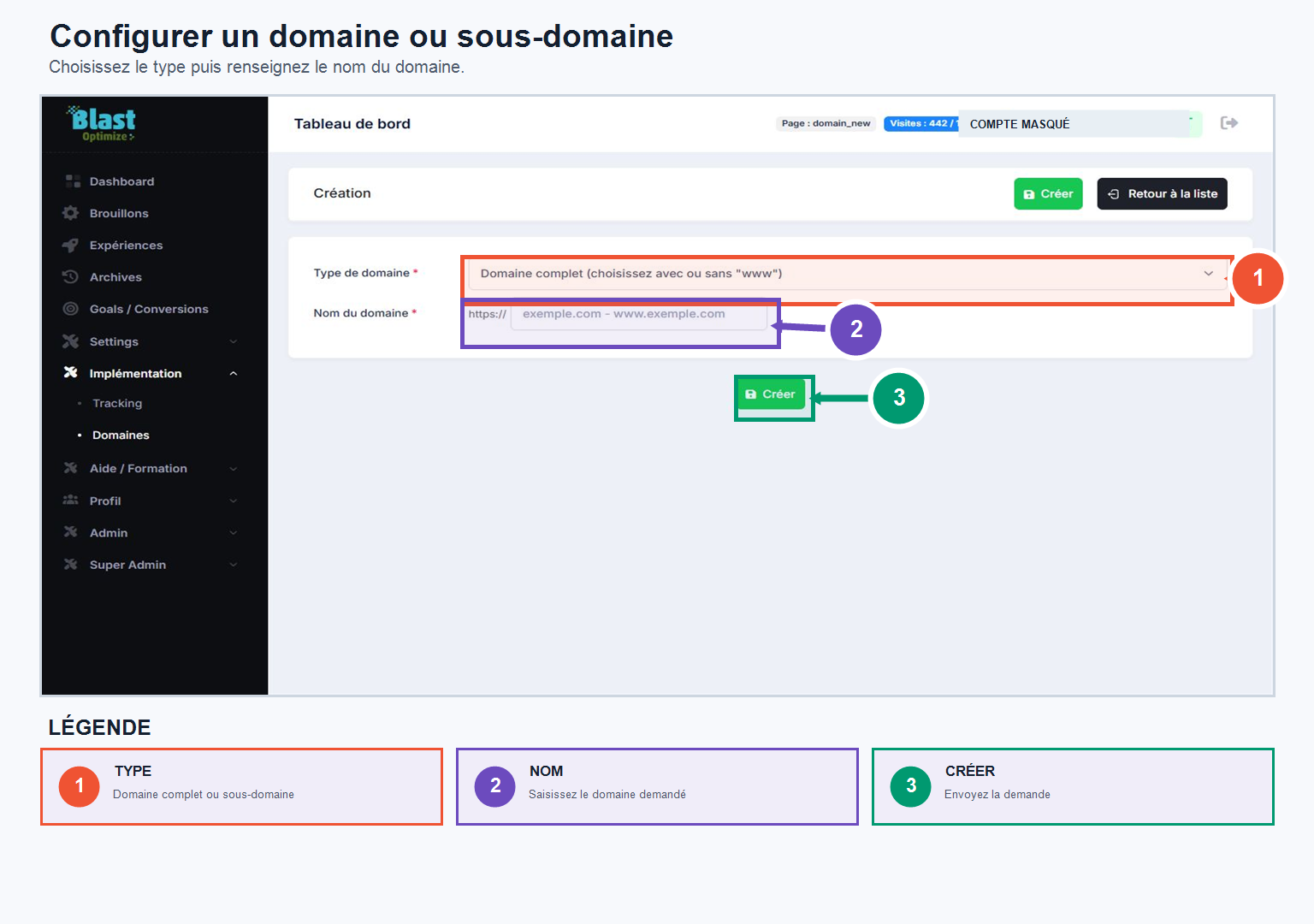
Click on Configure a new domainEnter your domain (for example dev.monsite.com), then validate the request. The BlastOptimize technical team will then send you the necessary information to point your domain (DNS modification at your registrar). The domain will appear as Currently being configuredthen moves on to Configured once ready to be used in your experiments.
Create a dedicated BlastOptimize subdomain
Simpler: choose a name (for example blasttest.blastoptimize.pro) and create your subdomain. The request is forwarded to the technical team, who will handle the configuration — no DNS changes are required on your end.
In both cases, the domain must display the status Configured before being able to be selected in Drafts → Experiment → Distribution.