


Create custom URL parameters
In Settings → URL SettingsYou can create parameters that will then be available in all your experiences (UTM Source, UTM Campaign, UTM Content, Click ID, or any parameter specific to your tracking plan). Click on AddName your parameter, then confirm: it immediately appears in your list and becomes available in the Settings section of your experiments, where you can associate a fixed or dynamic value with it.
Tip: the automatic variant name
The variable Variant Name automatically retrieves the name of the displayed variant (for example Original, Version B, Version C) and sends it directly to your URL settings — handy for easily finding, in your analytics tools, which variant generated the visit, the lead or the conversion.
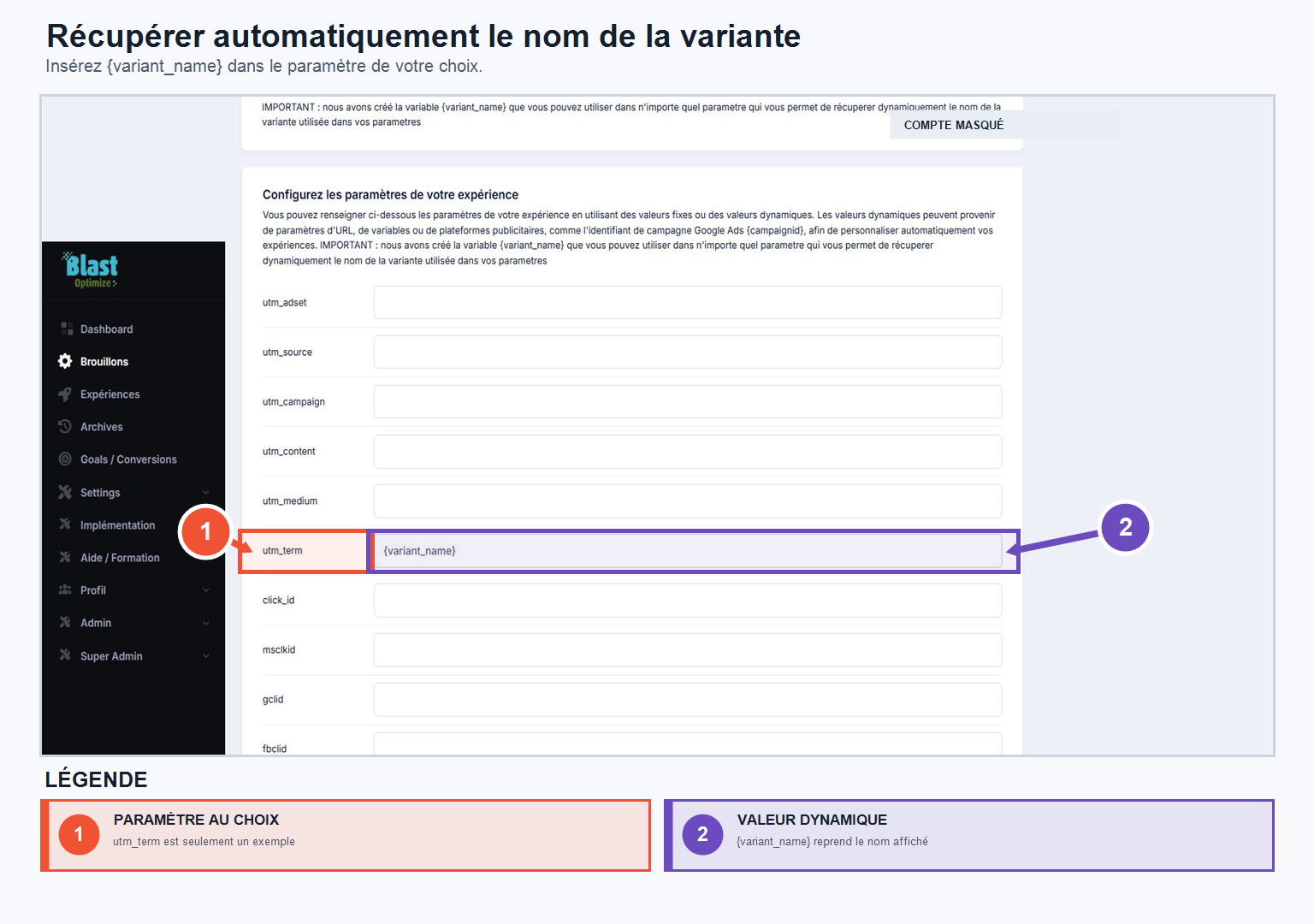
Automatically retrieve the variant name
Add the variable {variant_name} to a URL parameter to save the variant name in your analytics tools or campaigns. It can be used, in particular, in utm_term.
Example : utm_term={variant_name}-facebook
The syntax of dynamic parameters must match that expected by the platform interpreting them. Use the naming convention provided by Meta Ads, Google Ads, or your other acquisition source.