

How can we help you?
Check that your tracking is properly installed
See you in Implementation → TrackingYou will find your global script there as well as a verification tool: enter the page to be tested, and BlastOptimize will automatically tell you if the tracking code is detected.
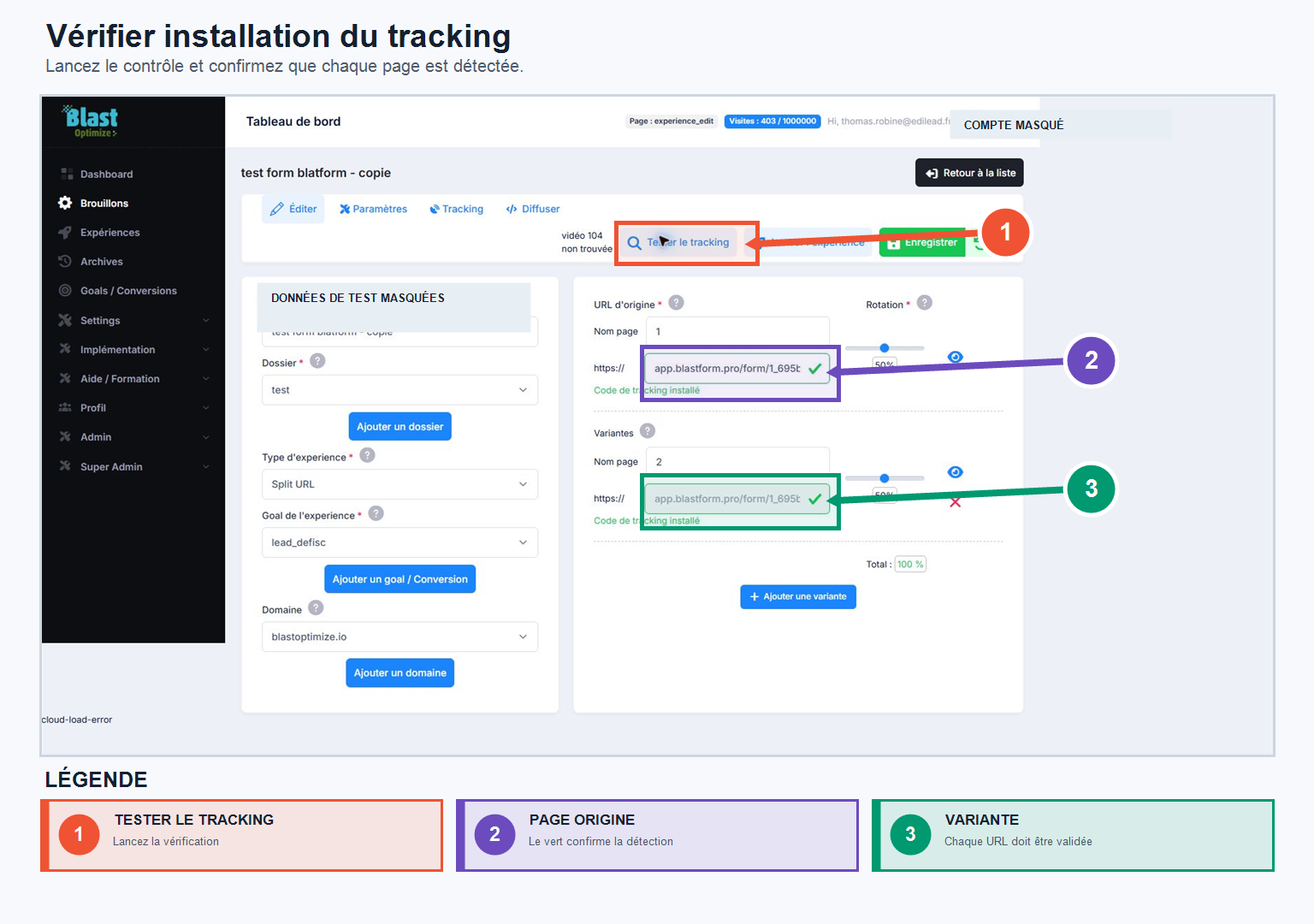
Before starting an experiment, always check two points:
- that the anti-flicker script is installed if you wish to avoid the flickering effects;
- that the global BlastOptimize tracking is indeed present in the
of all the pages concerned.
You can also use the button directly Test the tracking to perform this check before launching your experiments.