
Create an experience: Split URL or Page Editor
From the tab DraftsYou can find all your experiences in preparation, with filters by name, by folder or by type of experience.
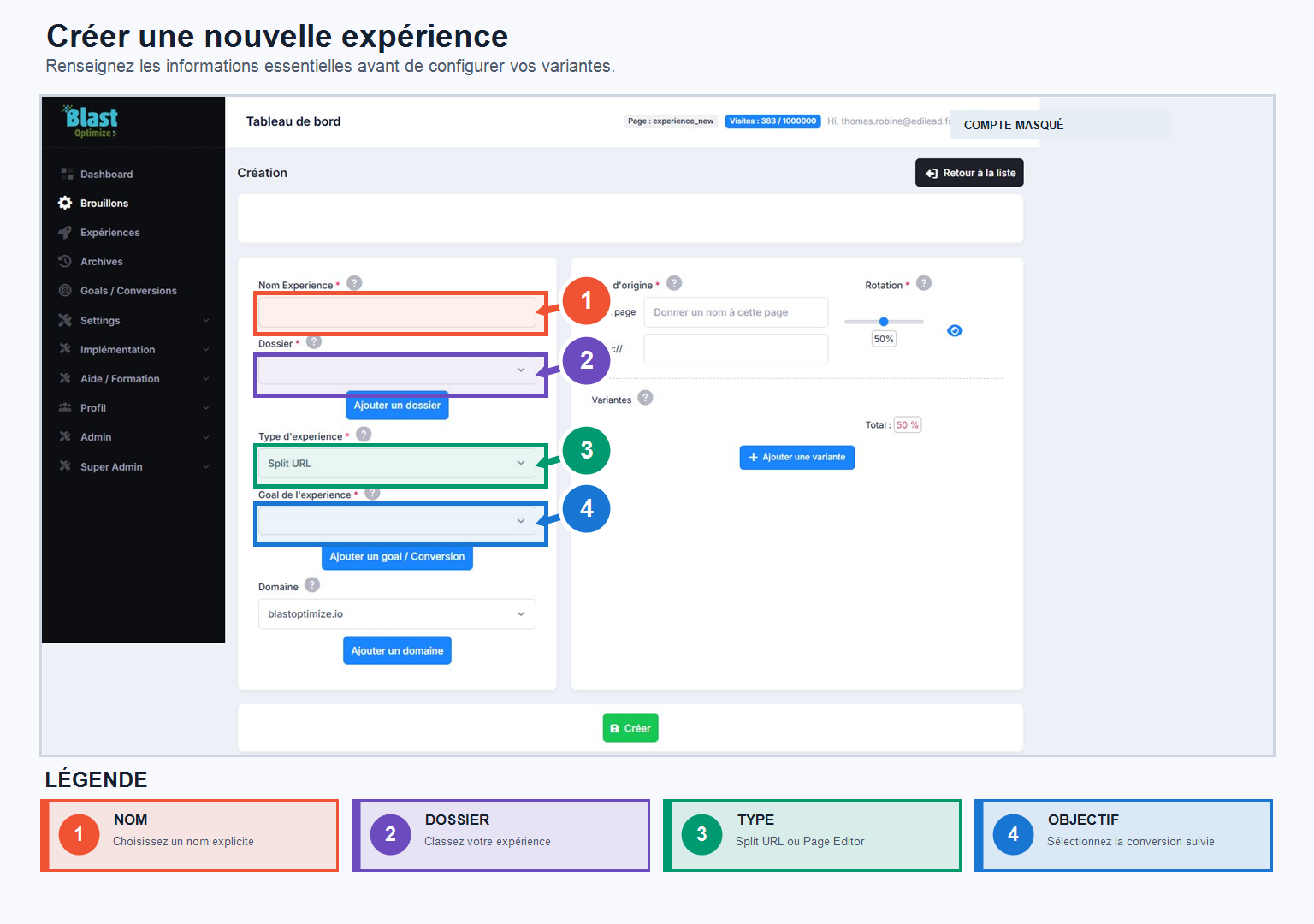
To create a new experience:
- Click on Create an experience.
- Enter the name of your experience.
- Select an existing folder or create a new one.
- Choose the type of experience: Split URL Or Editor's Page.
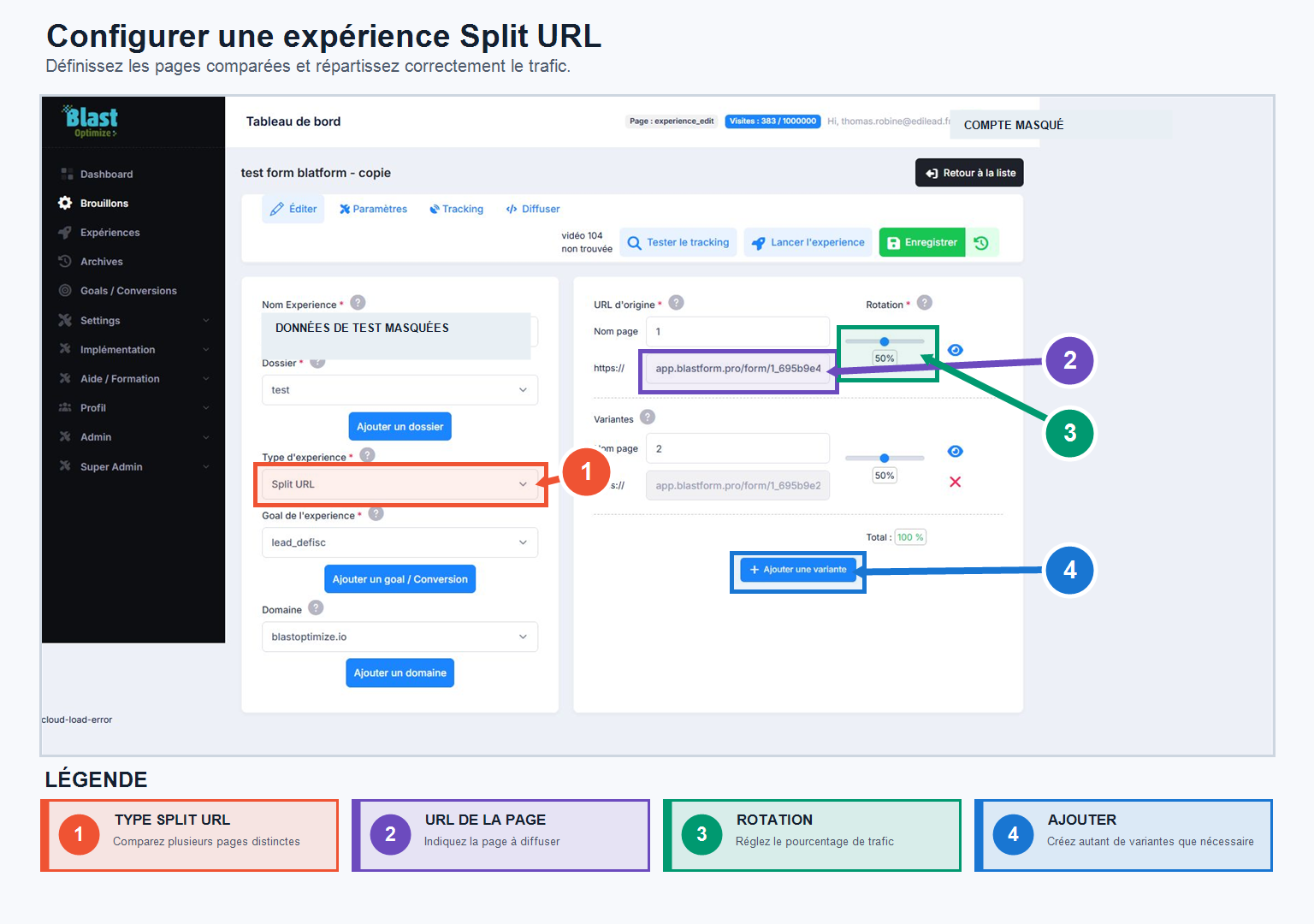
The Split URL
URL splitting allows you to compare several different pages. You enter multiple URLs and distribute your traffic across these variations to measure which performs best. The pages can belong to the same domain or different domains, depending on your experimental setup.
The Editor's Page
The Editor Page lets you start with an existing page and create variations without developing a completely new page. Enter the URL you want to modify: BlastOptimize opens it in its visual editor, where you can directly select and edit elements (title, text, image, color, size, spacing, HTML elements). Each set of changes can be saved as a new variation.
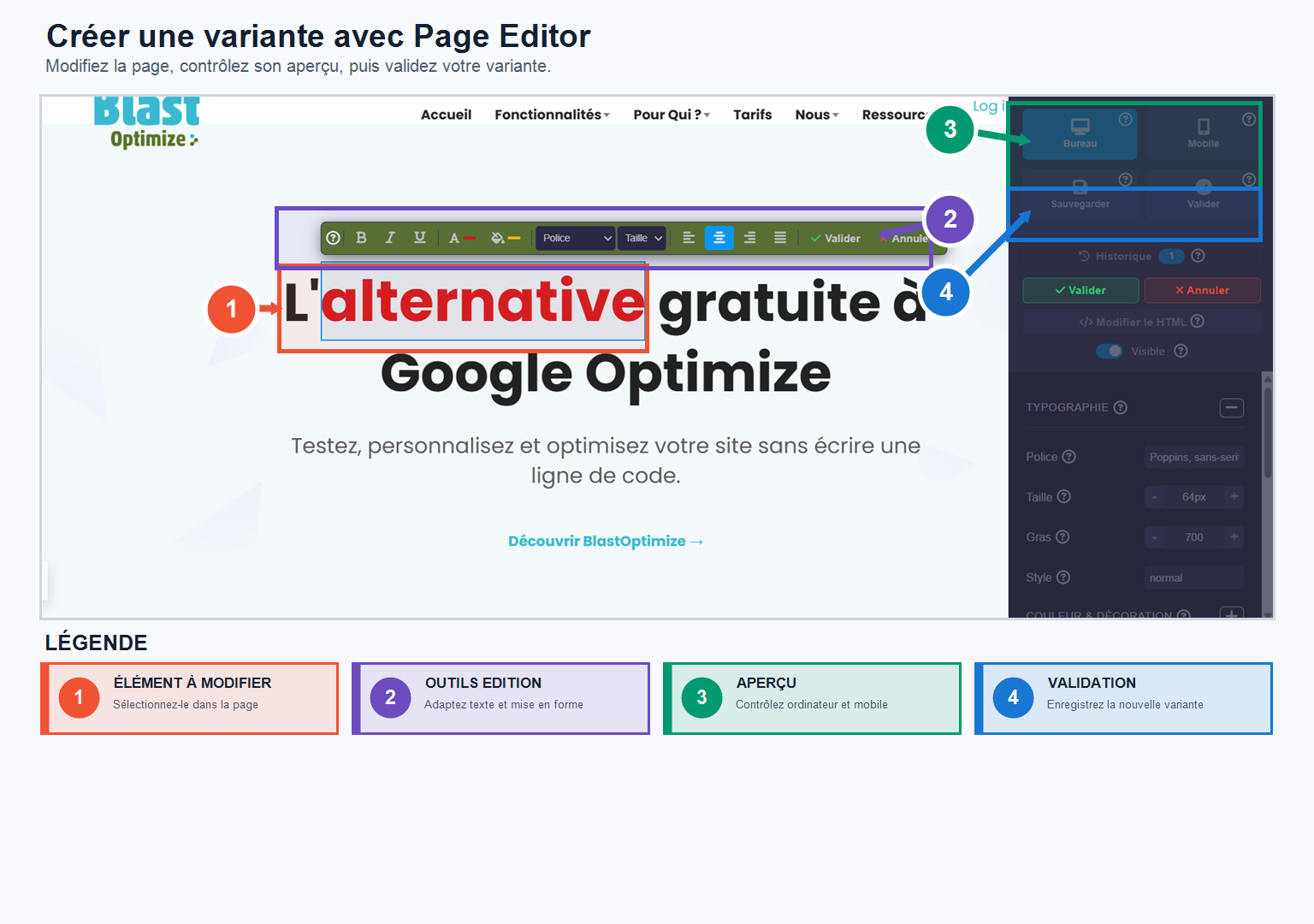
Once created, your experiment appears in your Drafts: it remains fully editable before its launch.