
Trigger a conversion per page or per pixel
BlastOptimize offers two methods for triggering a goal:
1. By visiting one or more pages
Create rules on the URL (for example: if the URL contains /confirmation/), and possibly combine several conditions (for example: URL contains /confirmation/ AND UTM Source begins with Google). For BlastOptimize to correctly detect the visit, the global tracking script must be present on the page in question (see Implementation → Tracking).
2. By the conversion pixel
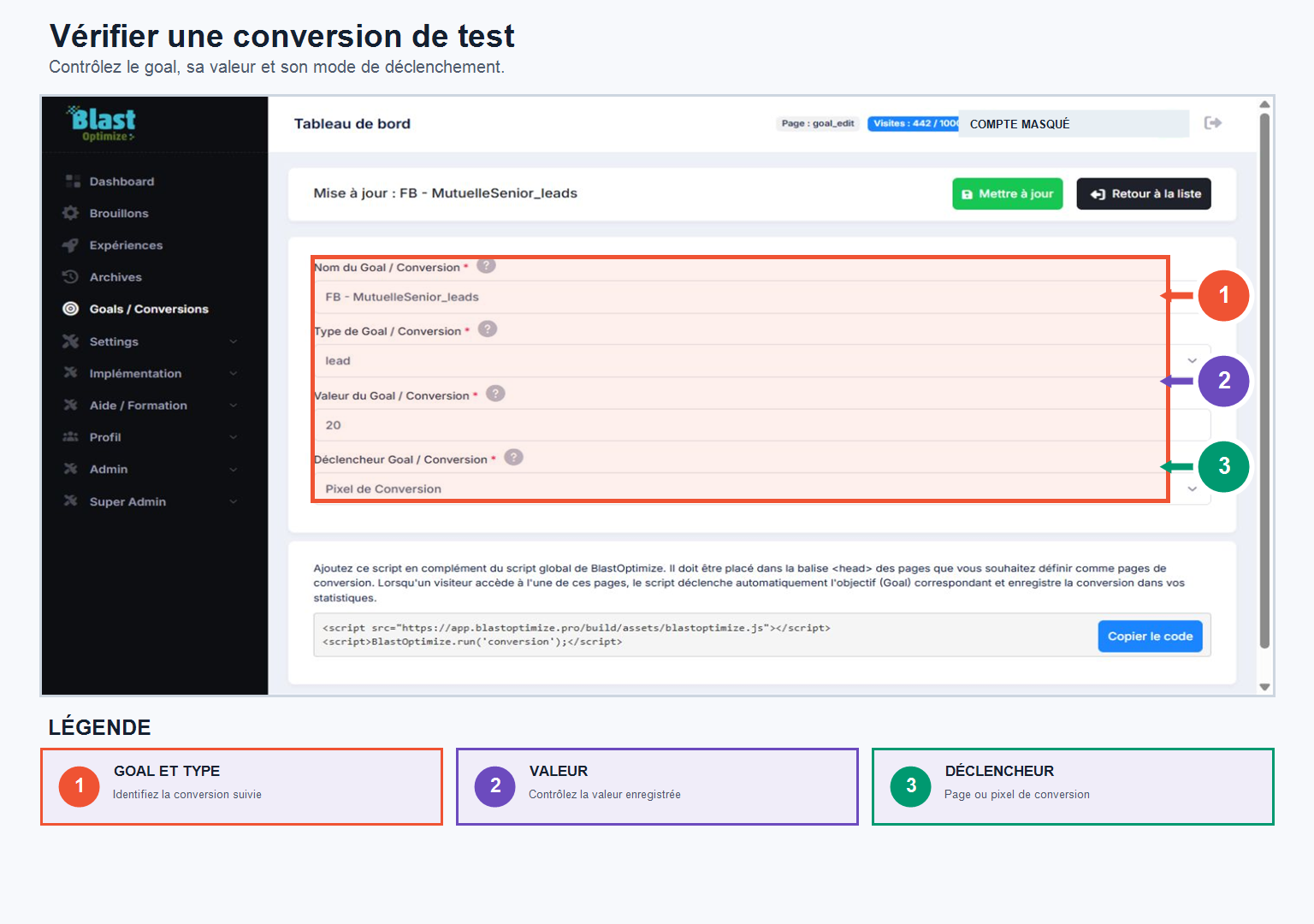
A single conversion script to place in the Pages considered as conversion pages (confirmation, successful payment, appointment booking, etc.). This pixel can be installed alongside the main tracking script without any issues.
When a conversion is detected, BlastOptimize automatically links it to the visitor and the relevant experience using its tracking ID. You can then find, directly within your experience, the number of conversions, the type, the associated goal, its value, and its triggering method.
Once your goals are created, you will find them in the Goals section of each experiment, and you are free to use different objectives depending on your tests.
Check the variant and the associated conversion
The tracking system must link each conversion to the actual displayed variant. When a conversion pixel is triggered, BlastOptimize uses the visitor's tracking ID to retrieve the relevant experience and variant.
Before launching, perform a test conversion and check that the following information appears correctly:
- the variant displayed to the visitor;
- the goal triggered;
- the conversion and its possible value;
- the triggering method, per page or per pixel.